
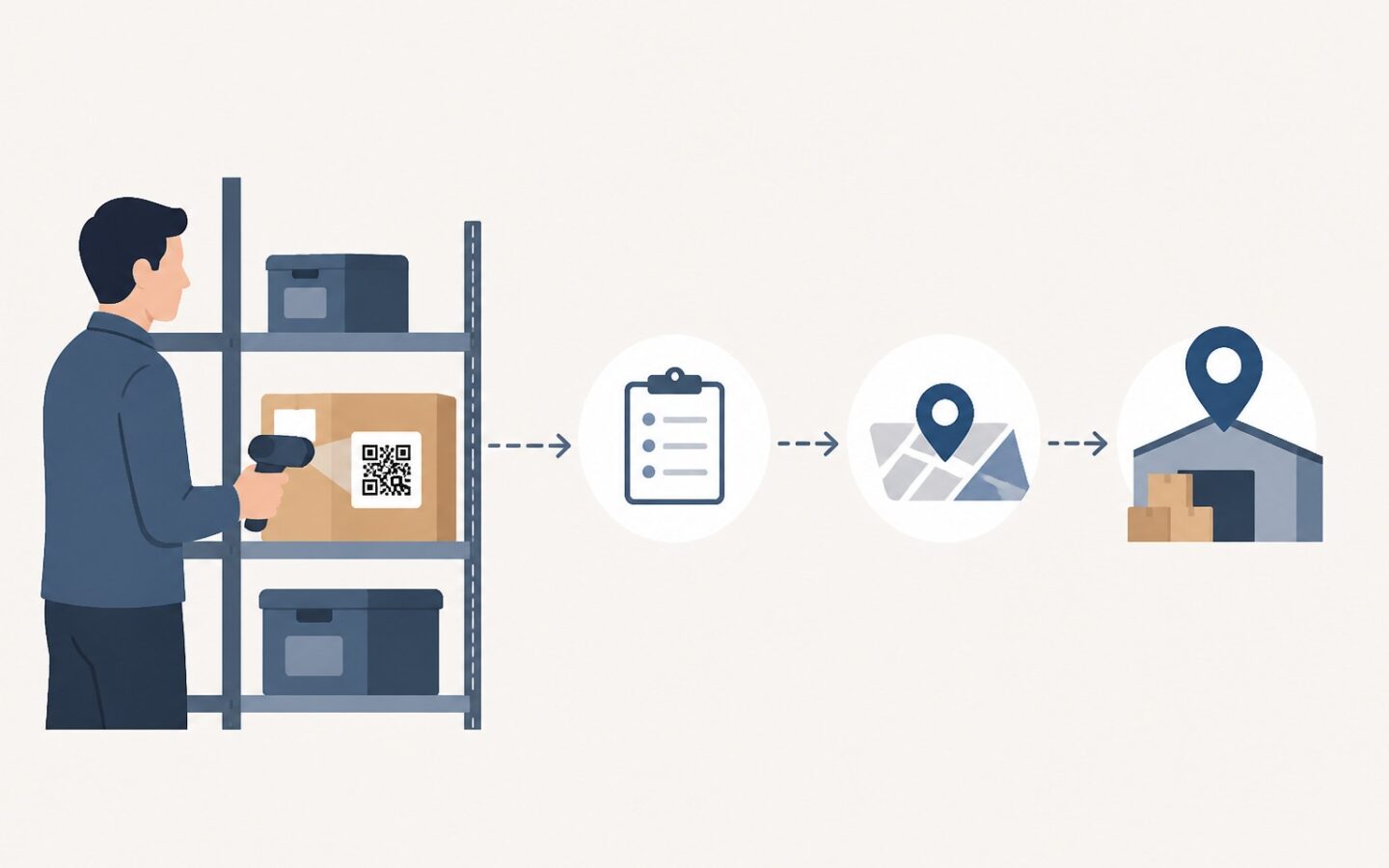
A warehouse worker needs to identify a tool, but its label has faded, and the number they type opens a record for a different item. A QR code can connect a physical label to digital data, so workers do not need to copy long numbers every time they want to identify an asset.
The benefits go beyond faster searches. Clear identification helps workers open the correct record, find the person recorded as responsible, and report a tool’s condition without guessing which item is being referred to.
When asset identification slows down warehouse work
Signs that asset identification is not yet practical
Two handheld scanners of the same model can look almost identical, even when different teams use them. If one label uses a purchase number and the other uses an abbreviation created by a worker, the person taking over the shift must first learn how to read both.
Obstacles usually become apparent when workers repeatedly ask supervisors, search for numbers across several lists, or retype codes because they have misread a character. You can observe simple activities, such as checking tools before use, to identify what is slowing down the work.
This issue is different from a stock quantity problem. The number of tools may already be correct, but the team may not know which unit is damaged, who is responsible for its use, or which record needs updating.
The impact on recordkeeping and follow-up
When an asset’s identity is unclear, workers may enter a damage report in the wrong unit’s record. Technicians then receive incorrect information, while the tool that actually has a problem is still considered ready for use.
For this reason, make sure workers identify the unit before recording its condition or requesting action. Follow a clear sequence: check its identity, match its physical characteristics, then record information within the worker’s authority.
How QR codes help identify assets
Connecting labels to asset information
A QR code is a two-dimensional code that can be read using a camera or a suitable scanner. For asset tracking with QR codes, the code can contain a unique identifier or a link to an asset record in the system.
The worker scans the label, the system opens the associated record, and the worker checks whether the asset’s name and characteristics match the item in front of them. This approach reduces the need to type identification numbers, but workers still need to match the information to the physical item.
Asset identification is not the same as automatic location tracking. QR codes help workers identify items, while the location displayed still depends on the recordkeeping or confirmation process used by the organization.
Information workers need in the field
The screen displayed after scanning should show the information workers need, rather than all administrative data at once. When checking work tools, the following information is usually sufficient as an initial reference:
- The asset’s unique identifier and name.
- Distinguishing characteristics, such as the model, serial number, or reference photo.
- The last recorded location.
- The person responsible for its use, separate from asset ownership information.
- Its condition or usage status, along with the time of the update.
The information displayed should help workers determine their next action. Connecting identification with operational information also helps you choose the asset details needed for follow-up, without burdening workers with irrelevant fields.
The benefits of asset tracking with QR codes depend on regularly updated data and the availability of devices, applications, and network access that meet the system’s requirements. An easy-to-read code is still of limited use if it opens an outdated record or a page workers cannot access.
Introducing QR code identification gradually
Establish asset identities and responsibility for data management
Start with one group of tools that are frequently shared, such as handheld scanners in the packing area. Assign a unique identifier to each unit, then make sure no two active labels point to different records for the same item.
Decide who creates identifiers, who is allowed to update information, and who handles reports of discrepancies. Workers in the field can report problems without needing permission to change all asset data.
Labels should also include a directly readable number as a backup. Choose materials and placement suited to exposure to dust, friction, or liquids, and avoid areas that accessories or hands can easily cover while the tool is in use.
Test scanning during everyday work
Test labels with the devices workers use every day, at the worksite under normal lighting conditions. Check whether workers can scan a label without having to turn the tool repeatedly and can easily find important information on the screen.
For example, a worker scans a tool before handing it over to the packing team. After matching the name and serial number, they check its usage status. If the record says the tool is being repaired, the worker delays the handover and asks for clarification rather than immediately changing its status.
Prepare a procedure for failed scans: search for the asset using the printed number, match its physical characteristics, then report the faulty label. If its identity remains uncertain, mark the asset for further inspection so workers do not select a record simply because it looks similar.
Risks to address from the outset
A neatly attached label opens the wrong record
An installation error can cause the label on the first unit to open the second unit’s record. Before using a label, scan the code and match its identity to the available serial number or distinguishing characteristics.
Avoid putting sensitive information directly into a code that anyone can read. If the code opens a system page, restrict access to information and data changes according to user permissions, rather than granting access simply because someone has or can scan the label.
Damaged labels and outdated data go unaddressed
A QR code does not automatically verify an asset’s condition, location, or responsible person. Scanning only provides access to the information and actions available in the system.
Replace peeling labels through a process that keeps the new label connected to the existing identity. Data managers also need to check incorrect information and record corrections so the reasons for changes remain clear.
This technology can reduce typing errors in identification numbers, but it does not eliminate all recordkeeping errors. Workers can still select the wrong condition or enter incorrect notes, so the system still needs to provide clear input options and confirmation before data is saved.
Assessing the benefits for warehouse operations
Base implementation decisions on field test results, not just on successfully reading codes. Compare the previous workflow with the scanning process for similar types of work and conditions.
- Record the time from when a worker sees an item to when they open the correct record.
- Check how often workers select the wrong record or retype an identifier.
- Observe how easy scanning is with the available devices and lighting.
- Review whether workers can easily find information for their next action.
- Check whether the team resolves reports of damaged labels and incorrect data.
If scanning is fast but data corrections are always delayed, clarify responsibility for updates before expanding label installation. If information is consistent but workers struggle to read codes, first improve the label material or placement, or access to devices.
Fast identification delivers value when workers open the correct record, understand the available information, and can continue working without guessing. QR codes support this goal when labels, data, and field procedures are managed together.
The results of a limited trial can provide a basis for determining the scope of the next implementation phase.
Learn more on the official Fisetra website.